How to Redeem a Tim Hortons Gift Card: Full Step-by-Step Guide
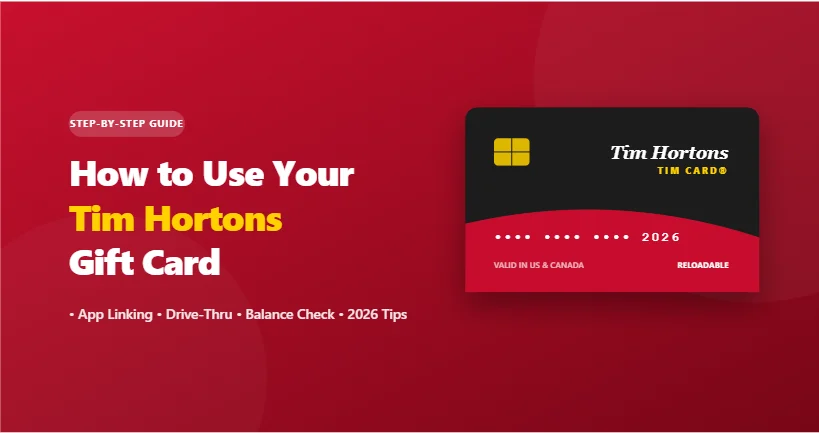
A Tim Hortons gift card (commonly known as a Tim Card®) is one of the easiest ways to pay for morning coffee, breakfast wraps, and bakery treats. Whether you have a physical plastic card, an e-gift card received via email, or a digital barcode on your smartphone, you can redeem your funds at the register, at the drive-thru, or through mobile order-and-pay.
This step-by-step guide covers how to link your card to the official app, pay in person, check remaining balances, and reload funds.
Explore: Tim Horton Menú Precios
Quick Comparison: How You Can Use Your Tim Card
| Payment Method | Physical Plastic Card | Digital / e-Gift Card | Linked to Tim Hortons App |
| In-Store Counter | Swipe or scan barcode | Scan digital barcode on phone | Scan in-app QR code |
| Drive-Thru | Hand card to cashier | Show phone screen barcode | Scan in-app payment code |
| Mobile App Ordering | Must link to app account first | Must link to app account first | Auto-deducts at digital checkout |
| Earn Tims Rewards Points | Only if linked or scanned with rewards | Only if linked or scanned with rewards | Automatically earns points on purchases |
Method 1: Linking Your Gift Card to the Tim Hortons App (Recommended)
Adding your card to the official Tim Hortons app gives you the fastest checkout experience and ensures you automatically earn Tims Rewards points on qualifying purchases.
| Step Number | Action | Details |
| Step 1 | Open the Tim Hortons app | Available on iOS and Android; sign in to your account. |
| Step 2 | Go to your wallet | Tap the “Scan” or “Account” tab, then select “Payment Methods” or “Tims Card.” |
| Step 3 | Select “Add a Tim Card” | Tap the option to add an existing physical or electronic gift card. |
| Step 4 | Enter card credentials | Type in the 16-digit card number and the 8-digit PIN / security code. |
| Step 5 | Confirm and save | Your balance will display immediately in your app wallet. |
Where is the PIN? On physical cards, gently scratch off the silver protective coating on the back. For e-gift cards, the PIN is displayed directly beneath the card number in your confirmation email.
Method 2: Using Your Card In-Store or at the Drive-Thru
If you prefer not to use the mobile app, you can redeem both physical and digital cards directly with the cashier:
- Physical Plastic Gift Cards: Hand the card to the cashier at the counter or drive-thru window. They will swipe the magnetic strip or scan the back barcode. If your order exceeds the card balance, you can pay the remaining difference with cash, credit, or debit.
- Digital e-Gift Cards: Open the original gift card email or PDF on your phone. Zoom in on the barcode and hold your screen toward the drive-thru scanner or display it to the cashier at the register.
Method 3: Ordering Ahead with Mobile Order & Pay
Once your Tim Card is loaded into the app, you can use it for pickup orders without interacting with a register:
- Open the Tim Hortons app and select your nearest store location.
- Add your breakfast sandwiches, coffees, or donuts to your cart.
- Tap “Checkout” and scroll to Payment Details.
- Select your Tim Card balance as the primary payment method.
- Tap “Place Order.” The exact order total is deducted directly from your gift card balance.
How to Check Your Tim Hortons Gift Card Balance
Before heading out to order, verify how much credit remains on your card through any of these three channels:
| Method | How to Check | Information Required |
| Via the Mobile App | View the “Scan” or “Wallet” tab | Card must be linked to your account |
| Online Balance Checker | Visit the official Tim Hortons website balance portal | 16-digit card number and PIN |
| In-Store Receipt | Look at the bottom of your printed receipt after any purchase | Automatically displays remaining balance |
| Ask the Cashier | Request a “Balance Inquiry” at the counter | Physical card or digital barcode |
Key Rules, Expirations & Reloading
- No Expiration Dates or Inactivity Fees: Tim Hortons gift cards do not expire, and the funds do not depreciate due to dormancy.
- Reloadable Funds: You can reload your card balance at any time using a debit or credit card either through the mobile app or directly at the store counter.
- Cross-Border Use (US & Canada): Tim Cards are generally accepted at participating locations in both the United States and Canada. When used across borders, the currency conversion is calculated automatically at the prevailing daily exchange rate during checkout.
- Loss Protection: Unregistered physical cards are treated like cash—if lost or stolen, the funds cannot be recovered. However, if you register and link your card inside the Tim Hortons app, the balance remains tied to your profile even if you misplace the physical plastic.
Troubleshooting Common Gift Card Errors
| Issue | Likely Cause | Solution |
| “Invalid Card Number or PIN” | Typo during data entry or entering order numbers instead of card digits. | Verify the 16-digit sequence and ensure you scratched the silver coating cleanly to read the PIN. |
| “Insufficient Balance” | The order total exceeds the available funds on the card. | Request a “split tender” transaction: have the cashier deduct the full card balance first, then pay the remaining balance with another card or cash. |
| Scanner Cannot Read Screen | Phone screen brightness is too low or display glass is heavily cracked. | Turn phone brightness up to maximum or ask the cashier to type in the 16-digit card number manually. |
Frequently Asked Questions (FAQ)
Can I redeem a Tim Hortons gift card on DoorDash or Uber Eats?
No. Third-party delivery aggregators like DoorDash, Uber Eats, and Grubhub cannot process restaurant-branded gift cards. To pay with a Tim Card, orders must be placed directly through the official Tim Hortons app, inside a physical restaurant, or at the drive-thru.
Can I transfer a balance between two Tim Cards?
Yes. If you have multiple gift cards loaded into your Tim Hortons app account, navigate to the “Manage Tim Card” section in your wallet settings. From there, you can merge multiple smaller balances onto a single primary card.
What happens if I lose my physical Tim Card?
If the card was never registered or linked to the Tim Hortons app, the funds cannot be recovered. However, if you previously linked the card to your verified app account, the funds remain secure in your digital wallet. You can continue scanning your phone to pay or transfer the remaining balance to a new card.
Can I get cash back from my Tim Hortons gift card?
Tim Cards cannot be redeemed for cash, returned, or refunded, except where mandated by specific state or provincial laws (such as statutory cash-back provisions for remaining balances under $5 or $10 in certain jurisdictions).
Do Tim Hortons gift cards expire?
No. Tim Hortons gift cards carry no expiration dates, nor do they incur dormancy fees, inactivity charges, or maintenance service deductions over time.
Final Words
A Tim Hortons gift card is most effective when integrated directly into the official mobile app. Registering your card not only safeguards your stored funds against accidental loss or theft, but it also allows you to accumulate Tims Rewards points on every breakfast sandwich, coffee run, and baked treat you purchase. Whether stopping by the drive-thru on a morning commute or submitting an order ahead for express counter pickup, taking two minutes to link your 16-digit card and PIN ensures seamless checkout and maximum value on every visit.